Bank Reconciliation
Drop statement PDFs on an account. Lejr reads each one and sets it beside your books so you can match lines and reconcile to a zero difference.
Reconciling checks your books against the bank statement. The cleared balance must equal the statement's closing balance exactly, and every difference must be explained.
Drop the statement PDFs on the account. Lejr reads each one (bank, account number, period, balances and lines) and sets it beside your books. You accept the matches and handle the lines that differ.
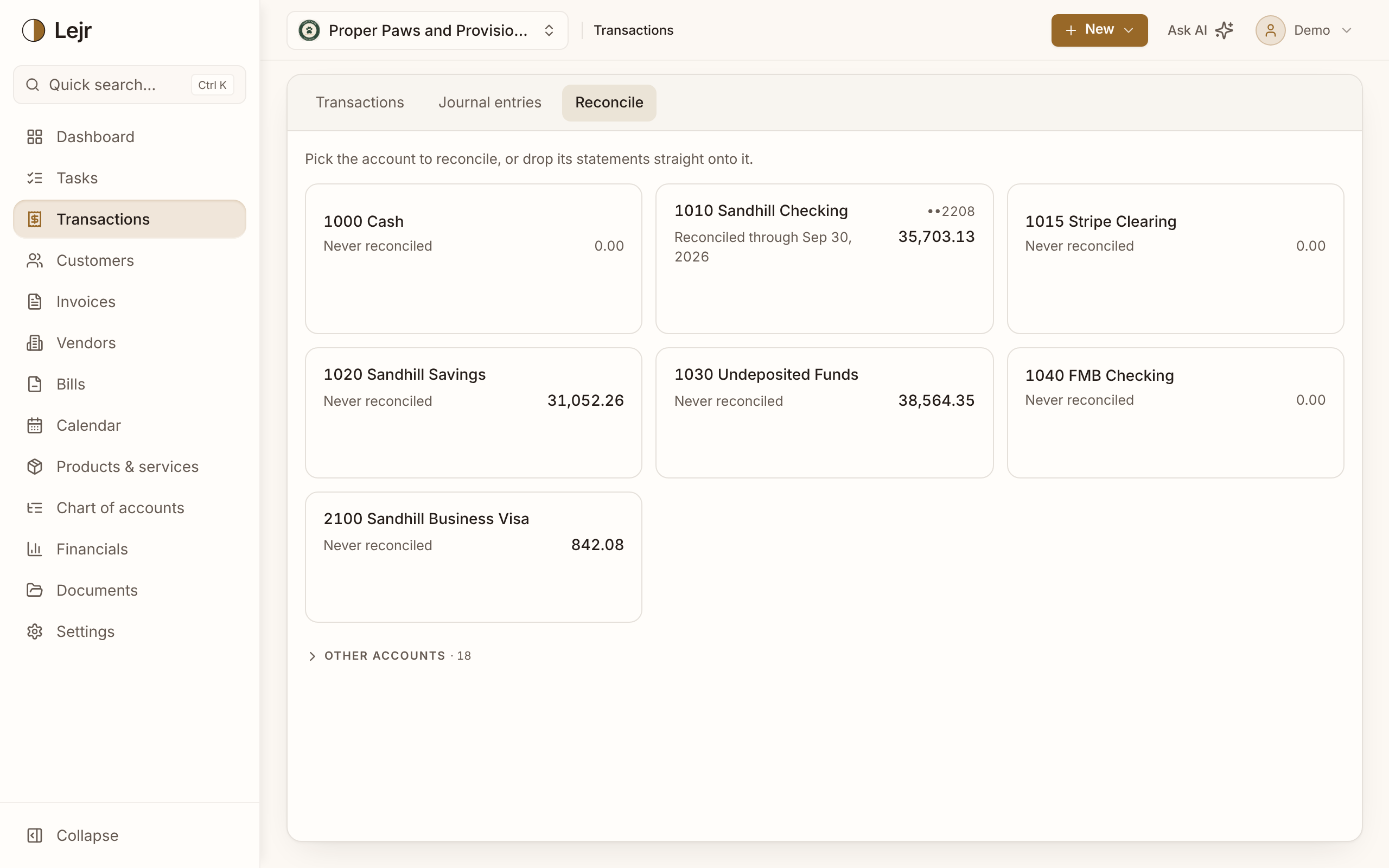
Reconciling a statement
- Drop the statements on the account
Transactions → Reconcile shows a card per account with its balance and Reconciled through date. Drag one PDF or a year of them onto the card, or open the account and use Upload to.
- Let Lejr read them
Each statement lists its bank, last four digits, period and balances. Lejr flags a statement that looks like another account's (Move there), a duplicate upload, and dates no statement covers.
- Continue
Continue opens the oldest unreconciled statement. Statements reconcile in order, each starting where the last one closed.
- Accept the matches
The statement sits beside your books with the Difference. Sure matches are accepted for you. Accept the rest, or Accept all (⌘↵).
- Handle what differs
For a bank line not in your books, use Add transaction (prefilled) or Match to a Lejr transaction… when several of yours add up to it. A line still in Review gets Categorize. A returned check gets Record bounced check.
- Confirm
Confirm is enabled when the difference is zero and the statement's lines add up to its closing balance.
Outstanding items
An uncleared check or a deposit in transit is in your books but not yet on the statement. It's listed under Carried to next statement until a later statement shows it. Don't delete it to make a month tie.
Transactions dated before the statement starts usually explain a difference in opening balances. When they add up to exactly that difference, Accept all includes them in the opening balance; otherwise use Include in opening one at a time.
A completed reconciliation has a PDF report listing every outstanding item.
How strong the proof is
A matching closing balance can hide two errors that cancel out. When you complete a statement, Lejr records how strongly it was proven:
Balance only: the closing balance tied and there was nothing else to compare. Gross totals: deposits and withdrawals also tied, in amount and count. Line matched: all of that, with nothing outstanding on either side.
Lejr computes the level; you don't choose it. The assistant and connected AIs report it when they reconcile for you.
Reopening
Reopen returns a completed statement to in progress, along with every later one. Accepted lines and balances are kept; confirm again when you're done.
While a reconciliation is completed, you can't delete its transactions, change their amounts or move their dates out of the period. You can still change a category, vendor or description.
If the books change inside a completed period anyway, the reconciliation shows The books changed in this period after it was reconciled.
Good to know
- Credit-card accounts reconcile the same way, with Charges and Payments & credits in place of Cash in and Cash out.
- For an account with no statement (cash, Venmo, receivables), use Enter by hand: the period and the two balances.
- Reconcile ready statements confirms each waiting statement that ties, oldest first, and stops at the first that needs you.
- If Lejr misread a figure, correct it with Edit figures or Edit statement.
- History lists every reconciliation for the account and, for connected banks, a daily check of the bank's balance against your books.
Common questions
- What if the difference won't reach zero?
- Something is on one side and not the other. The rows marked ≠ show where. A reconciliation can't be completed with a difference.
- Can the assistant reconcile for me?
- Yes. It works through the statements, confirms the ones that tie, and stops at the first that needs a decision. By default it asks for your approval first.