Bulk Edit & Reclassify
Select many transactions and move them to the right account. Lejr posts correcting entries instead of rewriting the originals.
Reclassifying moves a posted transaction to the right category. You can fix one row or a batch.
Lejr doesn't rewrite the original entry. It posts a correcting entry dated in the transaction's own period, so that period's reports change and the history stays visible.
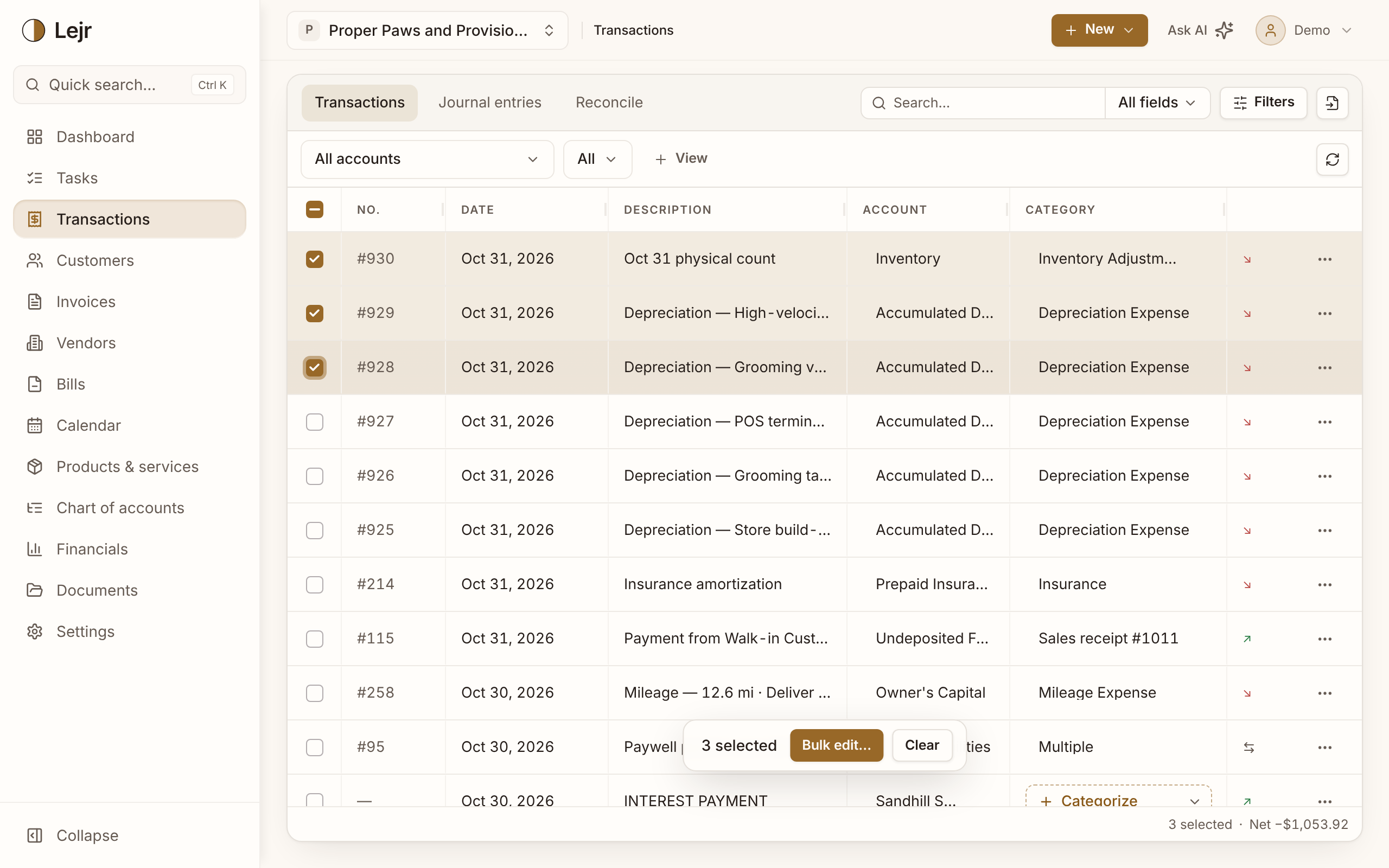
Reclassifying
- One transaction
Click its Category and pick the account. A posted row gets a correcting entry; a row in Review is categorized.
- Many at once
Filter or search, select the rows, and choose Bulk edit…. Tick Set category and pick the account.
- Apply
The job runs on the server while you keep working. When it finishes, Lejr lists any rows it skipped and why.
The correcting entry
It has two lines: one to the new account and the opposite to the old one. It joins the original transaction, so the row keeps its number and the Journal entry tab shows both.
The bank side doesn't move, so you can reclassify a reconciled transaction.
Each reclassification also updates the categorizer's suggestions for similar transactions.
What Bulk edit changes
Set category works on Review and posted rows. Set date and Set account change only Review rows; posted rows are skipped. Set vendor applies to money-out rows, Set customer to money-in rows. Set description can append, prepend or replace.
Some posted rows are skipped: a payment tied to an invoice or bill (change it on the document) and a split transaction (change it in its split).
Good to know
- A transaction in a closed period can't be reclassified until an owner unlocks the period.
- Delete in Bulk edit removes Review rows and reverses posted ones. It isn't a reclassification.
Common questions
- Can the assistant reclassify a batch?
- Yes. Describe the transactions and the right account. By default it shows the changes for your approval before anything posts.