Multiple Businesses
Keep separate books for each business under one login, switch between them, and connect an external AI once for all of them.
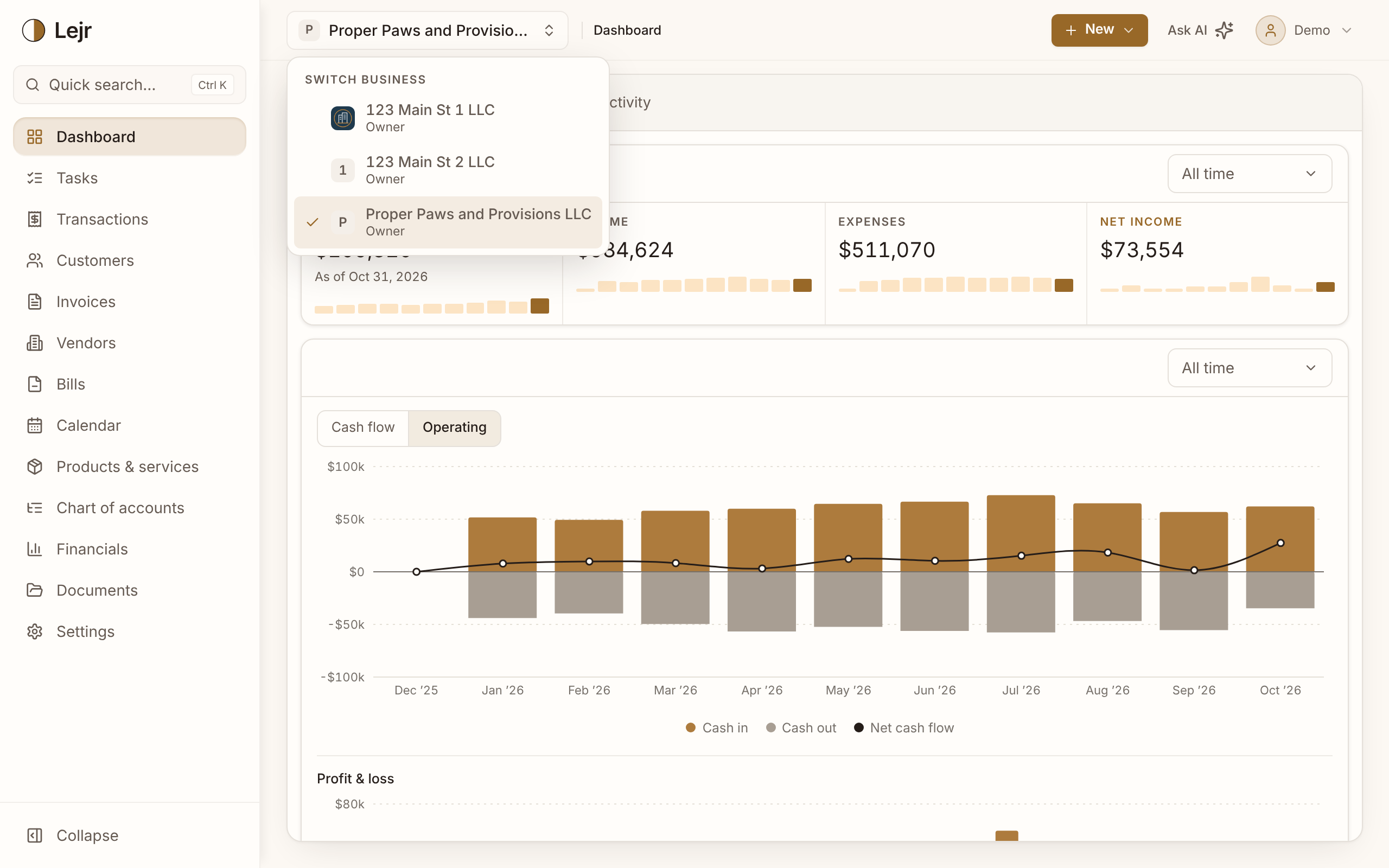
One Lejr login can keep books for several businesses. Each has its own chart of accounts, transactions, customers, members and settings. Switch between them from the business name at the top of the screen.
Connect an AI such as Claude, ChatGPT or Grok once and it can work across all of them, naming the business on every request.
Adding and switching
- Add a business
Go to Settings → Account → Profile and choose Add business unit under Your businesses. The account holder can also add one from Settings → Account → Billing.
- Check the cost
Before the business is created, Lejr shows the new monthly total. You may be asked to confirm it's you.
- Set it up with the assistant
The new business starts with core accounts, and the assistant takes you through setup.
- Switch between them
Click the business name at the top of the screen and pick another. With more than ten businesses, the list has a search box.
Separate books, one plan
All your businesses are on the same plan and billed together. Plus includes 1 business and Pro includes 5 businesses; each extra one is $15 a month.
The books never mix. A transfer between two of your businesses is recorded in each business's books, and there's no combined report.
Members per business
People are invited to each business separately, with a role in each. Your accountant can be an admin on one, a viewer on another, and absent from a third.
For billing, each person counts once however many of your businesses they're in. Extra users beyond your plan's allowance are $10 a month.
One AI connection, several businesses
When you connect an AI, all your businesses start selected, which also covers ones you add later. Deselect some to limit it.
With several businesses, every request names one by its exact full name. A partial or ambiguous name is refused, and the AI is told to ask you.
Good to know
- Settings → Account and Billing apply to your whole login, so the switcher shows “All organizations” on those pages.
- Delete a business from its own Settings → Organization. Only that business is affected.
Common questions
- Can I see all my businesses in one report?
- No. Each business has its own reports. Run or export them one business at a time.
- Does a business I add later get AI access automatically?
- Yes, if you left every business selected when you connected. Otherwise, disconnect and connect again in Settings → Account → AI connections to include it.