Business Settings
Your business's name, contact details, logo and entity type, and how to reset or delete its books.
Settings → Organization holds one business's details: name, website, contact details, logo, time zone and business type. Owners and admins can edit them.
Owners can also reset a new business's books or delete a business here.
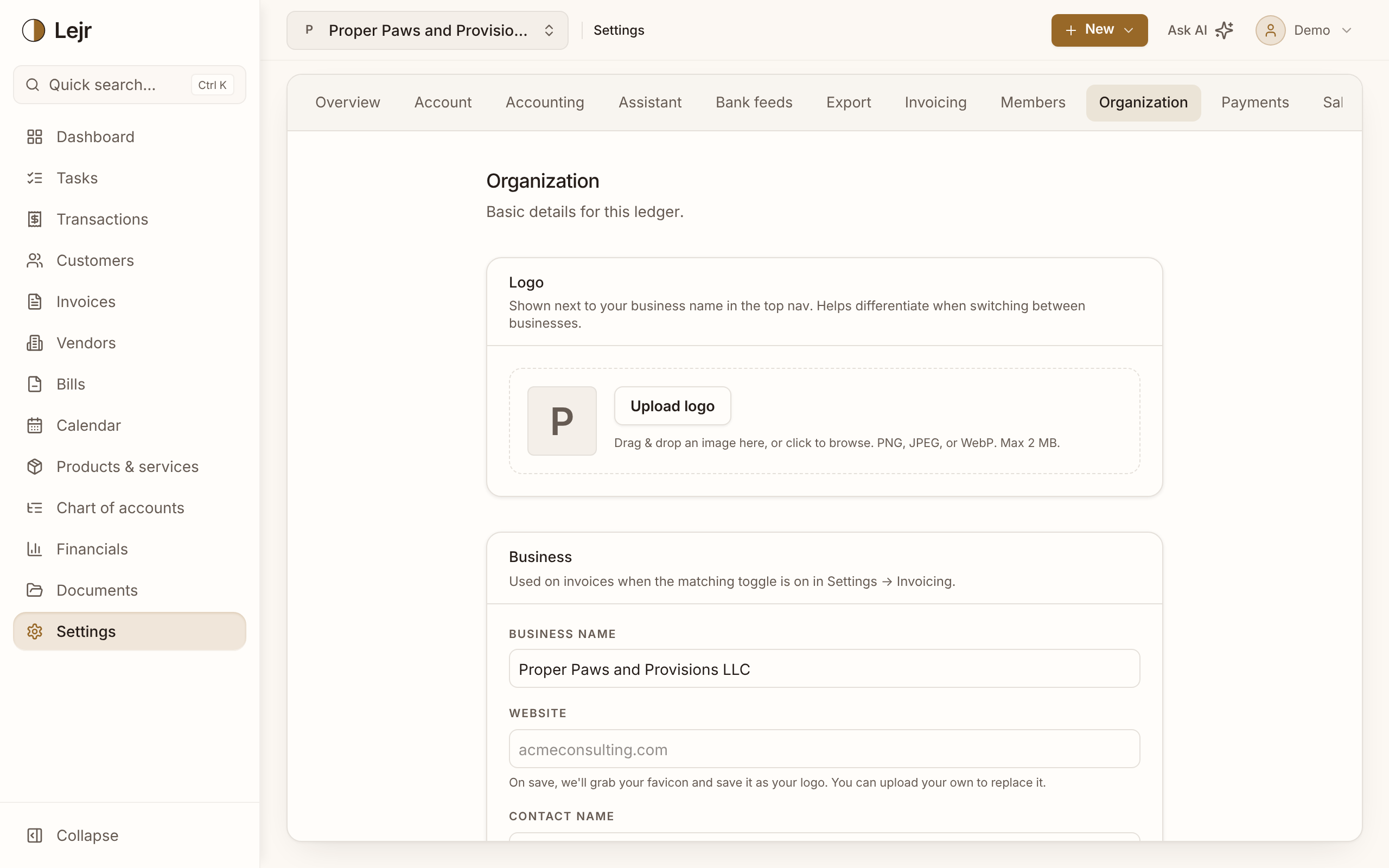
Setting up a business
- Add a logo
Drag in an image or choose one: PNG, JPEG or WebP, up to 2 MB. It shows beside the business name in the top bar. If you enter a website, Lejr uses its icon until you upload a logo.
- Fill in business details
Business name, Website, Contact name, Contact phone and Contact email appear on invoices when turned on in Settings → Invoicing.
- Set the time zone
Lejr uses it to date recurring invoices, online payments, bank-feed balances and entries from an external AI. UTC is used until you set it.
- Choose the business type
It sets the starter chart of accounts. Changing it adds that industry's accounts without renaming or removing any.
Tax entity type
The Tax entity type is shown here and set in Settings → Accounting → Accounting method. It's required before a year-end close. It doesn't choose your equity accounts; the close asks for that.
Resetting a business
Reset organization lets an owner start over in a business's first 45 days without losing the business, sign-in or subscription.
A reset always deletes transactions, invoices, bills, payments, reconciliations, documents and bank connections. You can keep invoices as drafts, and optionally also delete customers and vendors, products, the chart of accounts, the Stripe connection, other members and invites, or business details. The name, your access and the subscription stay.
Confirm by typing the business name, then RESET. It can't be undone.
Deleting a business
Delete organization removes one business's books and stops its charge. Only its owner can do this, by typing its name and then DELETE. Bank and AI connections are revoked immediately.
Support can restore the data for 30 days unless you check the box to delete it now.
You can't delete your only business here. To leave Lejr, use Settings → Account → Close account.
Good to know
- Download what you need from Settings → Export before resetting or deleting.
- Changes here are recorded in the activity log.
Common questions
- Where did Reset go?
- Reset is only available in a business's first 45 days. After that, correct the books with entries, or delete the business and start another.