Profile & Security
Your sign-in, two-factor authentication, recent sign-ins, and the security alerts Lejr sends.
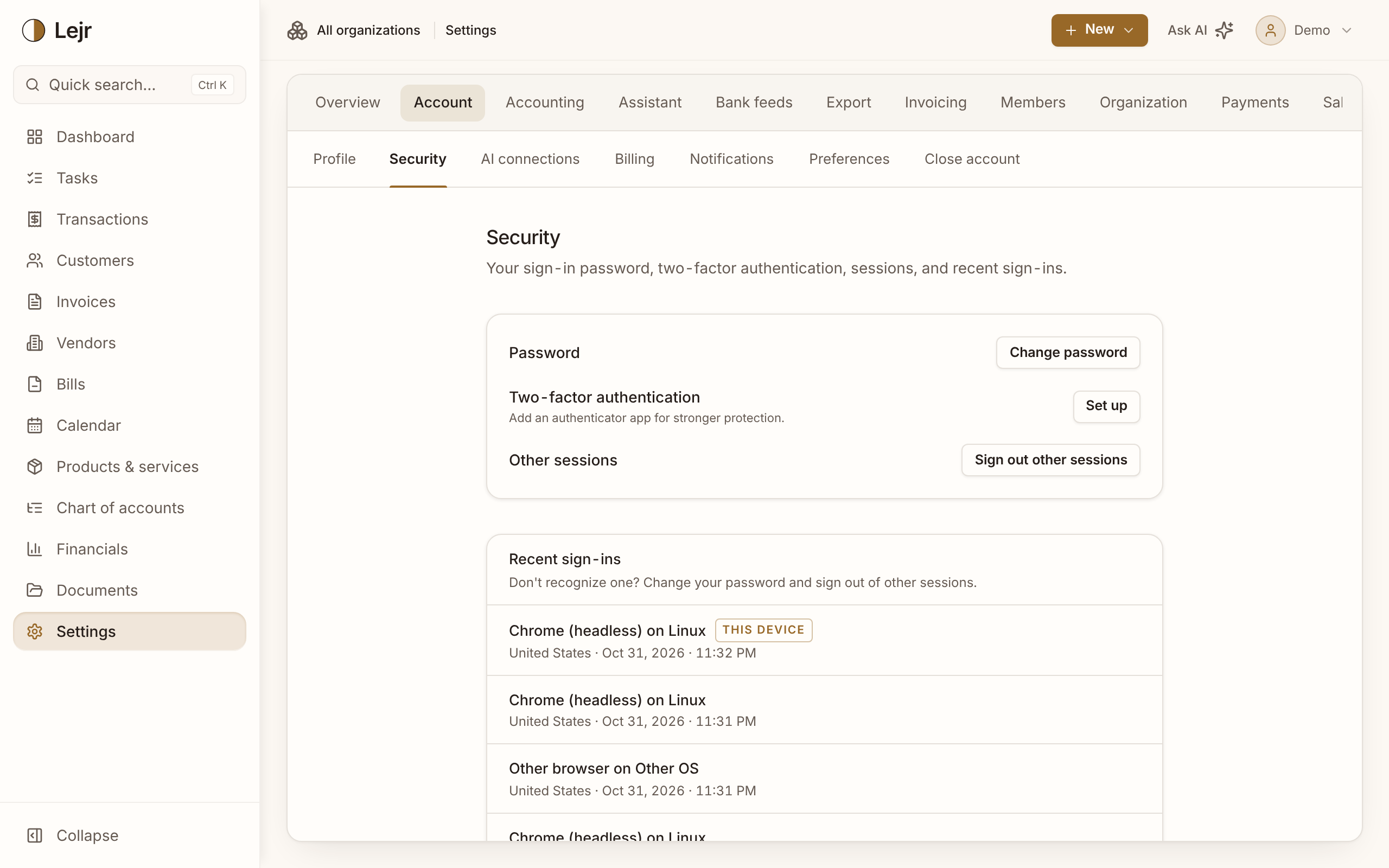
Settings → Account holds your personal settings: name and email, password, two-factor authentication, sign-ins, email alerts and display preferences. They apply to every business you can open.
Securing your sign-in
- Check your profile
Profile has your Name and Email address. A new email is confirmed with a code sent to it.
- Change your password
Under Security. If you sign in with Google, you can add a password too.
- Turn on two-factor authentication
Choose Set up, scan the QR code with an authenticator app and enter its 6-digit code. Sign-ins and sensitive changes then ask for a code.
- Save your backup codes
Setup gives you 10 single-use backup codes for when you lose your authenticator. Backup codes shows how many are left and makes a new set.
- Review recent sign-ins
Recent sign-ins lists your last ten, with device, approximate location and time. If one isn't you, change your password and choose Sign out other sessions.
Confirming your identity
Changing your password or two-factor, changing billing, downloading the whole ledger, deleting a business or closing your account requires a sign-in from the last few minutes. Otherwise Lejr asks you to confirm.
Email alerts
Under Notifications, choose alerts for banks connected or disconnected, AI assistants connected or revoked, members invited or roles changed, and invoice payments received.
Always sent: password or email changed, two-factor turned on or off, new backup codes, sign-in from a new device, business deleted and account closed.
Preferences
Preferences set your Date format, whether the Lejr Assistant bubble shows, and how statements open (Column order, Detail level, Account numbers and default views). They don't change the books.
Closing your account
For the billing account holder, Close account cancels the subscription, revokes bank connections and closes every business you own. You can download your data first. Data is kept, inaccessible, for 30 days so support can restore it, unless you delete it immediately.
Without a billing account, the page is Delete account: it deletes your login and removes you from businesses, which stay with their owners.
Good to know
- Add another business under Your businesses on the Profile page.
- Manage Claude, ChatGPT, Grok and other external AI connections under Settings → Account → AI connections.
Common questions
- I lost my authenticator. How do I sign in?
- At the code step, choose Lost your authenticator? and enter a backup code. Then set up two-factor again and make new backup codes.
- What counts as a new device?
- A different browser, operating system or country from earlier sign-ins. A browser update or new network doesn't count.