Tasks
Your to-do list: what to categorize, what's overdue, bills coming due and accounts ready to reconcile.
Tasks is your to-do list for the books. Each item opens the screen where you deal with it. The dashboard's Needs attention box shows the first few.
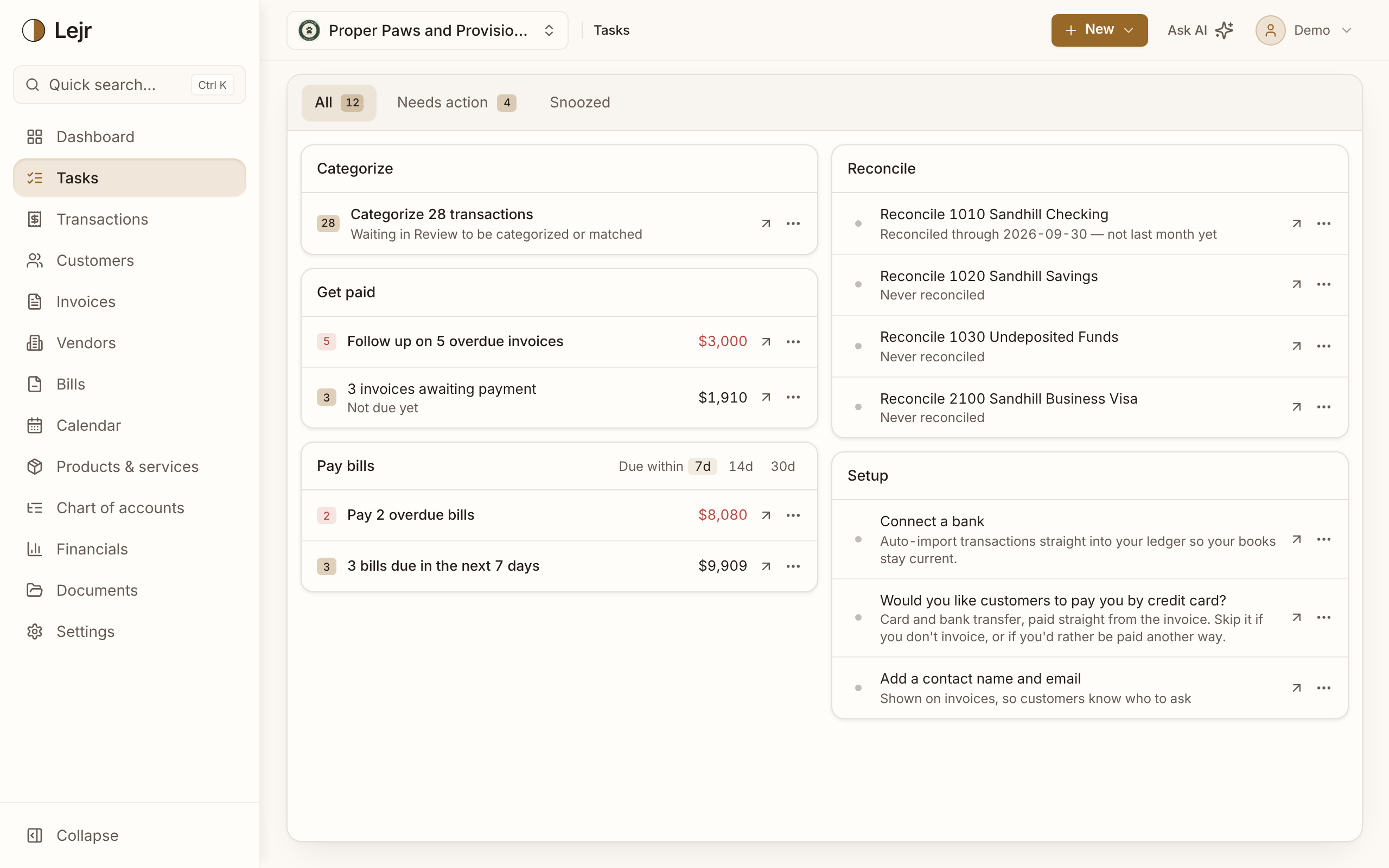
What's on the list
Tasks are grouped as Categorize, Get paid, Pay bills (including bills due in the next 7, 14 or 30 days), Inventory, Reconcile (accounts not reconciled through last month end), Close the books (open fiscal years, Opening Balance Equity to clear) and Setup.
The Needs action tab shows items with a deadline or money at stake, such as an overdue invoice or a bill due this week.
Snoozing and hiding
Snooze a task for a week or a month from its menu. Setup steps and profile suggestions can also be hidden with Don't show again. Both appear on the Snoozed tab, where Show again restores them. Snoozes apply to everyone in the business.
Good to know
- Setup steps count as needing action only for a business set up in the last two weeks.
Common questions
- Why does Tasks say a month isn't reconciled when I reconciled it?
- The Reconcile item looks for a completed reconciliation through the end of last month. One still in progress, or one that ends earlier, doesn't count yet.