Credit Memos
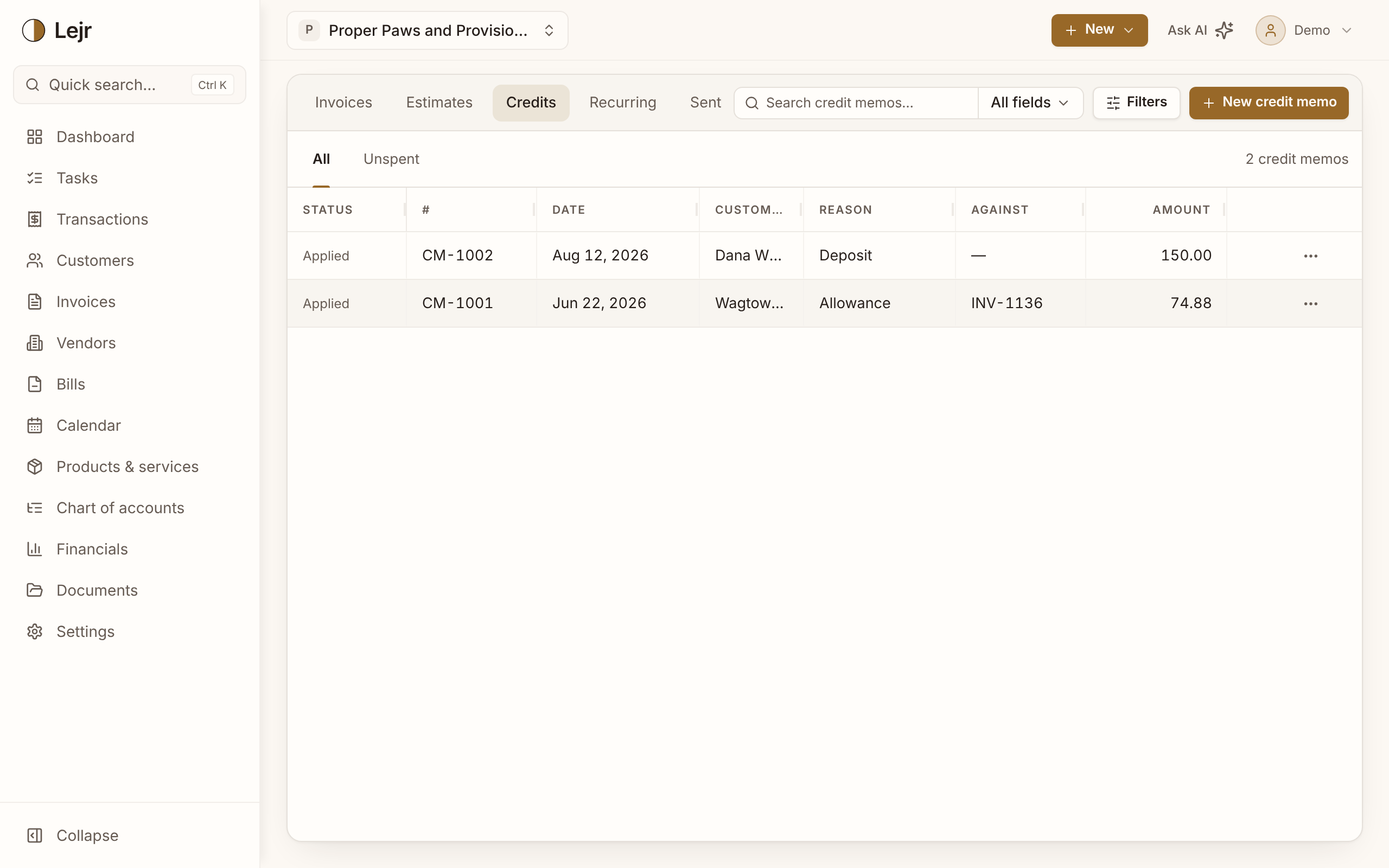
Reduce what a customer owes with a posted credit memo instead of editing the invoice. Apply it to an invoice or refund it.
A credit memo reduces what a customer owes without editing the invoice. It's its own numbered document with a reason and its own entry.
This page also covers overpayments and deposits. All three are used the same way: applied to an invoice or refunded.
Issuing a credit memo
- Start from the invoice
On a sent, partly paid or paid invoice, choose Issue credit memo from its menu. Keep the lines you're crediting. Or use New credit memo on the Credits tab.
- Choose a reason
Return, Allowance, Price adjustment or Goodwill. A return also reverses the sales tax on it.
- Issue it
Issue credit posts it; Save draft saves it for later. The unused amount shows as Remaining.
- Apply or refund
Apply or refund lets you Apply to an invoice or Refund in cash from an account you choose.
What posts
Issuing debits each line's income account, or Returns & Allowances (depending on your refund setting in Settings → Accounting → Accounting method), plus any sales tax. It credits Customer Credits, a liability.
Applying debits Customer Credits and credits Accounts Receivable. Refunding debits Customer Credits and credits the bank. You can't use more than what's left.
When a customer pays too much
When a payment exceeds what's open on the invoice, Lejr asks Where should the extra go?: the Customer's credit, or an account such as tips or other income. For another account, cancel and use Split.
Kept as credit, the overpayment becomes a credit record for that customer, used through Apply or refund.
If a customer overpays online through Stripe, the extra becomes their credit and an Apply or refund customer credit task waits for you.
Customer deposits
A deposit taken before the work is done isn't income yet. On the customer's page, Record deposit under Deposits and credits posts it to Customer Deposits, a liability, until it's applied to an invoice or refunded.
A Stripe payment on a draft invoice is recorded as a deposit the same way.
Good to know
- A credit memo can't exceed what its invoice charged, counting other credits and refunds.
- Void reverses an unused credit memo. A partly used one can't be voided.
- Unspent lists every credit with an amount left.
- Credit memos don't change inventory on hand.
Common questions
- Should I void the invoice or issue a credit memo?
- Void an invoice that should never have been issued. If the sale happened and something changed later, issue a credit memo. It works on paid invoices too.
- Where do I see a customer's credits?
- On the customer's page, under Deposits and credits.