Inventory Valuation
Units, cost and value on hand for each product, compared to the Inventory account on your balance sheet.
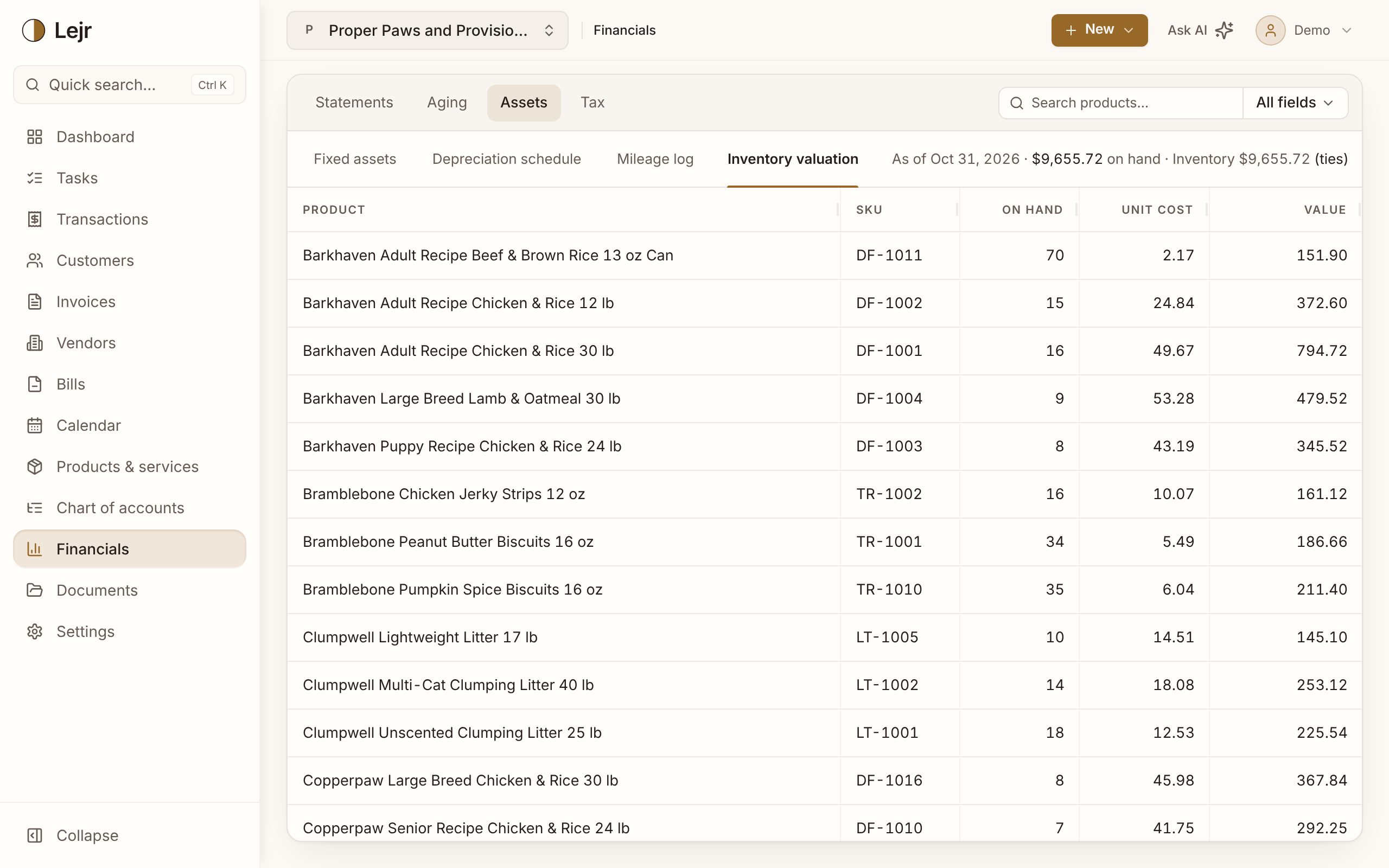
This report lists each product you track inventory for, with units on hand, unit cost and total value as of today. It is the detail behind the Inventory line on your balance sheet.
The header compares each Inventory account's balance with the value of its products and shows any difference. Lejr doesn't adjust either side to match.
Reading the report
- Open Financials → Inventory valuation
If no products are tracked, turn on a costing method in Settings → Accounting → Accounting method, then mark products as tracked on their Details tab.
- Read each line
On hand is units in stock, Unit cost is cost per unit under your costing method, and Value is their total cost. A negative quantity shows in red.
- Check the tie-out
The header gives the total on hand and each Inventory account's balance through today. Choose a balance to open the account in the general ledger.
How value is measured
Inventory is valued at cost, not sale price. Average cost spreads cost evenly across units, FIFO sells the oldest units first, and LIFO the newest.
Each sale moves its cost from inventory to cost of goods sold.
When it doesn't tie
Common causes: untracked purchases coded to Inventory, journal entries posted to the account by hand, or opening balances not itemized by product. Open the account from the header and find the entries that aren't product receipts or sales.
Good to know
- For an earlier date, use the balance sheet or the Inventory account in the general ledger.
- If products use more than one Inventory account, the report adds an Inventory account column and ties out each one.
- The year-end close checklist reminds you to count inventory.
- The report is the same on either accounting basis.
Common questions
- Why is a product's quantity negative?
- More units were sold than received. Record the missing purchase or count the product to correct it.