Account Groups
Show several accounts as one line on your statements, such as a Long-term debt group over each loan, without changing any entries.
An account group shows several accounts as one subtotal on your statements, such as three loans under Long-term debt. The accounts are still listed underneath.
A group is for display only. It has no balance, nothing posts to it, and adding or removing an account changes no entry.
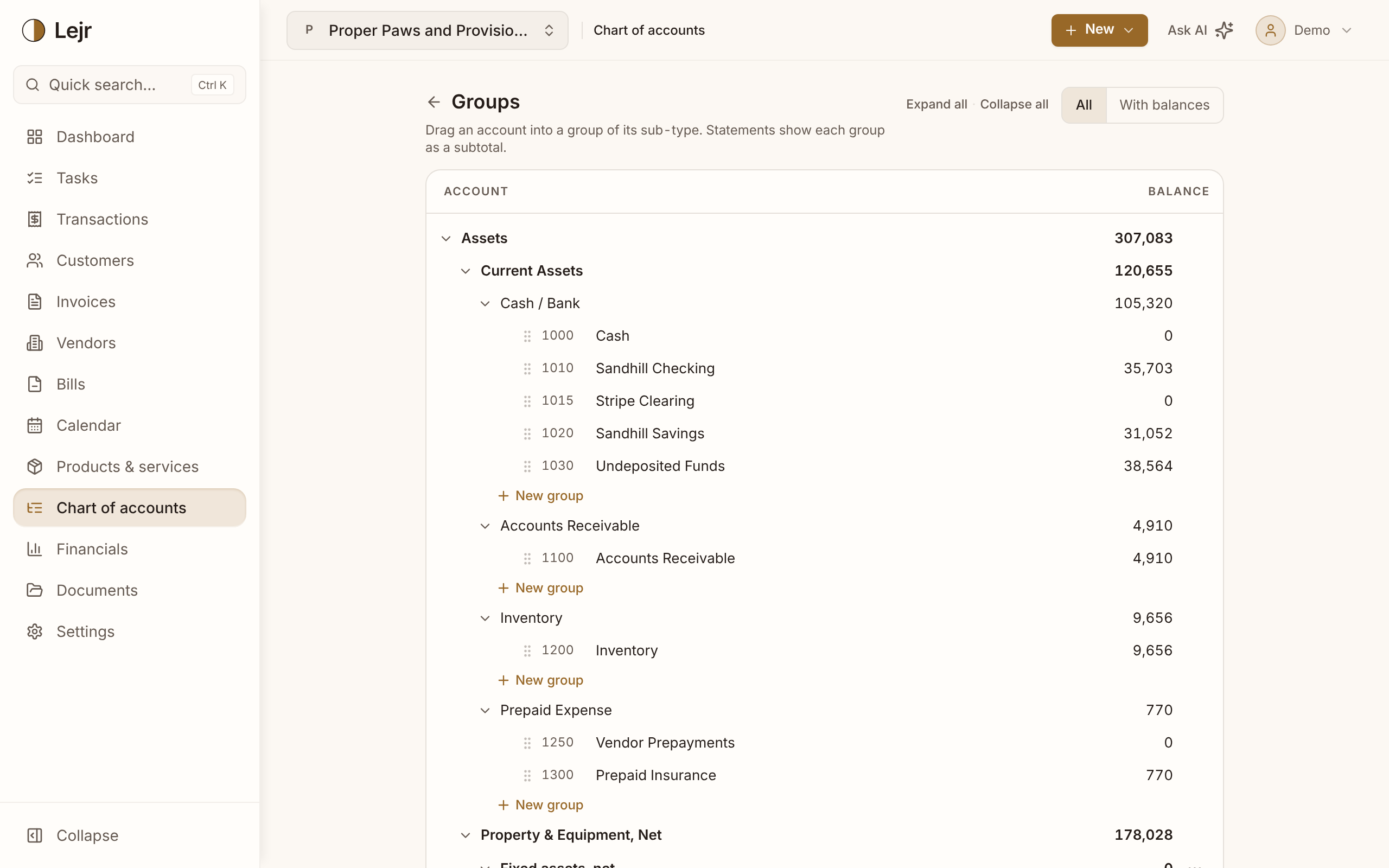
Grouping accounts
- Open Account groups
On the Chart of accounts, choose Manage groups. Accounts are listed by type, then by the sub-types your statements use.
- Create a group
Choose New group under the sub-type and name it. A group holds accounts of one type and sub-type only.
- Drag accounts into it
Drag an account onto the group. Sections it can't join grey out while you drag. To take it out, choose Remove from group from its actions.
- Check the statements
The balance sheet and income statement show the group as a subtotal inside its section. Open it to see the accounts, or use Expand all and Collapse all.
Changing or removing a group
Edit name renames a group. Dissolve group removes it, and its accounts go back to ungrouped with their balances and history unchanged.
An account's own page shows its group under Group, with a link to this page.
Good to know
- A group's figure is always the sum of its accounts, so there is nothing to reconcile.
- Group names must be unique within a sub-type.
- Flattening a statement (in its Options) hides sub-type and group headings.
- The trial balance and general ledger don't show groups.
Common questions
- Why can't I drag this account into that group?
- The group belongs to a different type or sub-type. A current asset can't join a group of fixed assets.