Activity Log
Who changed what and when, whether a person, the assistant or a connected AI made the change.
The activity log records every change to your books: the old and new values, who made it, and whether it came from the web app, the Lejr Assistant, an external AI or an automatic process.
No one can edit the log.
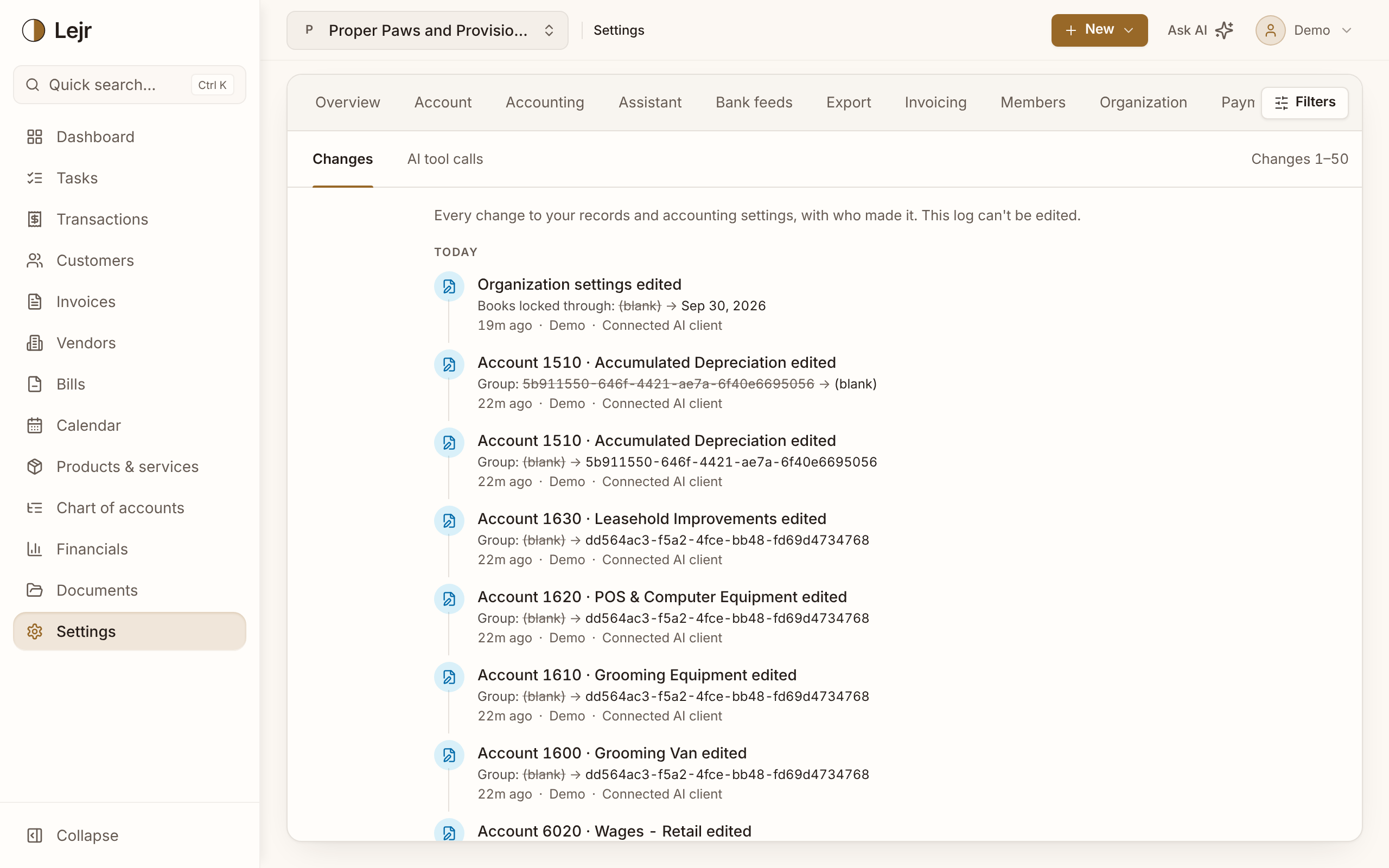
Using the log
- Open Settings → Activity log
Owners and admins can open it.
- Read a change
Each entry names the record and lists changed fields, with the old value struck through. Choose the record to open it.
- See who and how
Each change shows the person and the channel: Web app, Lejr Assistant, Claude Desktop, Claude (web), ChatGPT, or Connected AI client for others such as Grok. Automatic changes show sources such as Scheduled job or Bank or payment update.
- Filter
Filters narrows by Date range, Who (including No user (automatic)) and Record type. Use Older to page back.
What it covers
Journal entries and their lines, invoices, bills, accounts, vendors, customers, bank transactions, fixed assets and organization settings.
Former members' changes keep their name but they aren't listed in the Who filter.
AI tool calls
The AI tool calls tab lists the latest 500 tools the Lejr Assistant or an external AI ran: time, client, tool, journal entries posted, duration and result. Reads are included, and failed calls show their error.
Good to know
- Posted entries aren't rewritten. A correction or void posts a new entry, and both appear in the log.
- A transaction's own page shows its history from the same log.