Fiscal Year
Set the month your fiscal year starts. Period reports, comparisons and the year-end close follow it.
Your fiscal year is the twelve months your books report on. Set it under Settings → Accounting → Fiscal year.
The separate tax year is used only for MACRS depreciation, so you can keep books on a July to June year and still file on a calendar year.
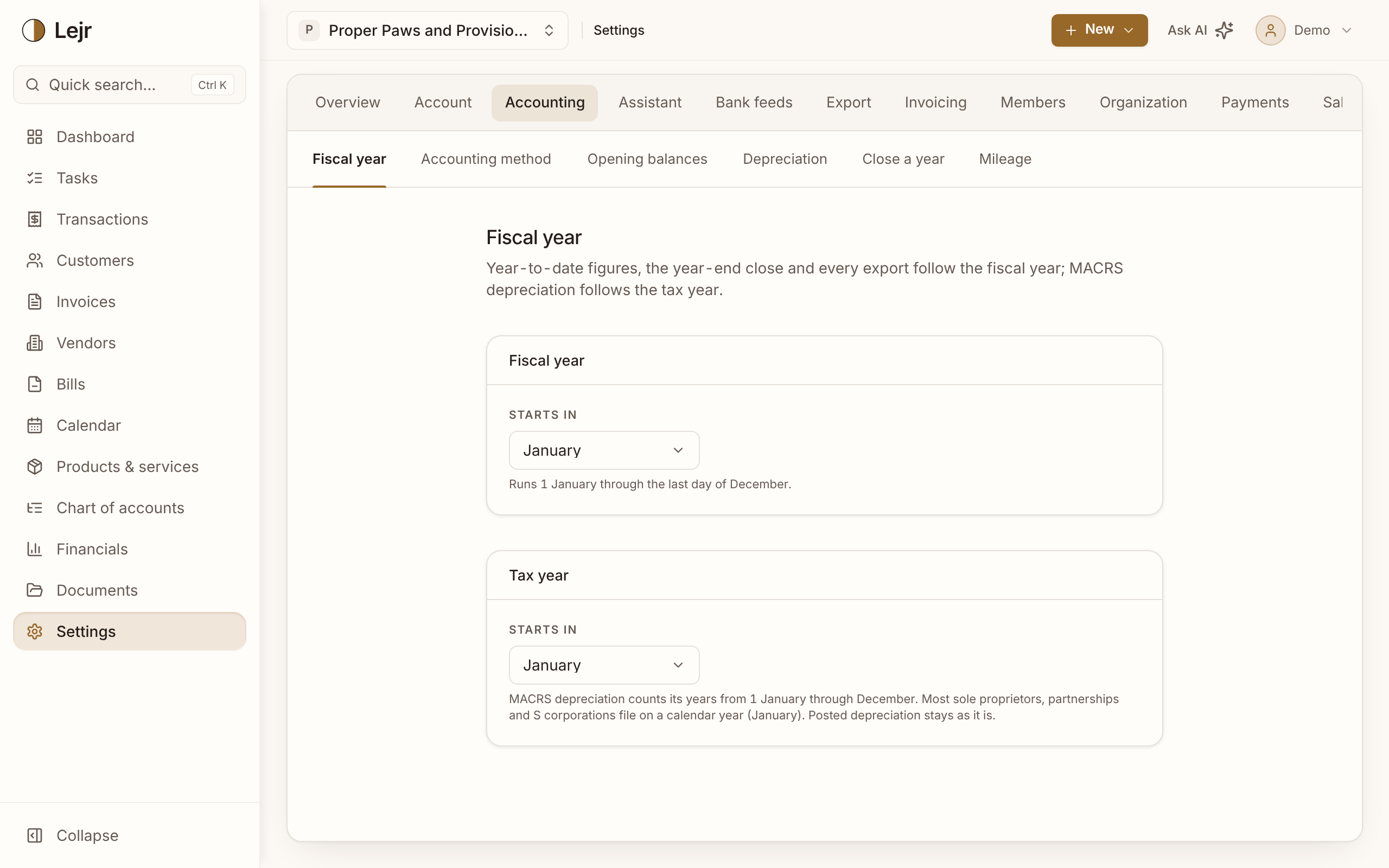
Setting your fiscal year
- Choose the start month
Under Fiscal year, set Starts in. The hint shows the range it covers.
- Set the tax year if it differs
Under Tax year, Starts in is the month MACRS counts years from. Leave it at January unless your return uses a different year.
- Set it before you close
Owners and admins can change these. Once a year is closed or the books are locked, the fiscal year can't change.
What uses the fiscal year
Statements, year-to-date figures, the year-end close, exports (statements, CPA tax package, sales tax), and quarterly or annual depreciation posting.
A fiscal year is named for the calendar year it ends in: July 2025 to June 2026 is FY 2026.
What uses the tax year
MACRS recovery years, mid-quarter conventions and the 40% test. Changing it affects future depreciation only.
Why it locks
The fiscal year applies to all past years. Changing it would re-cut closed years so they no longer match their closing entries. Unlocking a period doesn't lift this. A change of fiscal year needs a transition period; ask your accountant.
Good to know
- Your filing tax year is set with the IRS. These settings should match what your preparer files.