Sales Tax Setup
Set up the tax rates you collect, alone or as a combined group of state, county and city rates. Each rate is tracked separately.
Set up each sales tax once in Settings → Sales tax with its name, rate and liability account. Taxes then apply to products as defaults, appear on invoice lines, and feed the sales tax report.
If a sale carries several taxes (state, county and city), combine them in a tax group. The invoice shows one rate, and each jurisdiction's share is tracked separately.
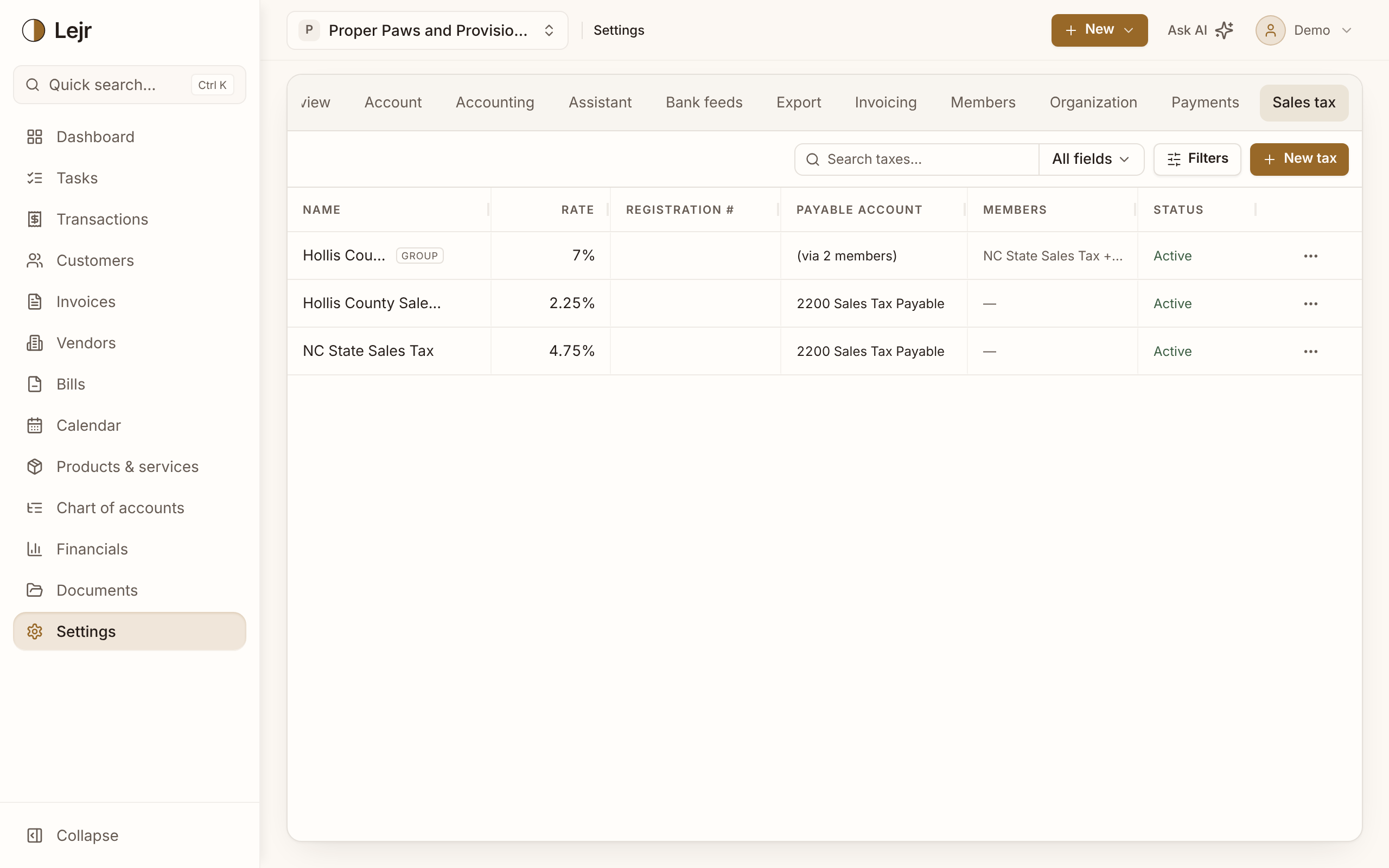
Setting up your taxes
- Choose New tax
Pick a Tax kind: Single tax (one rate, one payable account) or Tax group (two or more single taxes).
- Enter single taxes first
Give each a Name, a Rate as a percentage (8.875 for 8.875%), and optionally a Tax registration # (printed on invoices) and Payable account.
- Build a group if needed
Choose Tax group, name it and pick its Members. Its rate is the sum of theirs.
- Set product defaults
Set Default sales tax on a product. Invoices, estimates and credit memos then apply it unless the customer is Tax exempt.
Payable accounts
Sales tax is a liability, not revenue. A blank Payable account uses the default Sales Tax Payable. If you file in more than one state, give each state its own payable account.
In a group, each member credits its own payable account.
Changing and archiving
Edit a tax when its rate changes. Posted invoices keep the rate and jurisdiction split they used.
Taxes can't be deleted. Archive one you no longer charge; it stays on old invoices and reports. Turn on Show archived in Filters to find it again.
The sales tax report
Financials → Sales tax report shows gross, non-taxable and taxable sales with the tax on each, on both bases, by jurisdiction. It compares its total with Sales Tax Payable and shows any difference.
Tax posted to Sales Tax Payable by journal entry has its own line in the tie-out.
Good to know
- Lejr records the taxes you set up. It doesn't decide where you must collect, file returns or register you.
- Paying the tax authority debits the payable account and credits the bank. It's not an expense.
- The report also exports by fiscal year from Settings → Export.
Common questions
- Group or one combined rate?
- Use a group when the rate is made of taxes you file separately. One combined tax can't tell you each jurisdiction's share.