Dashboard
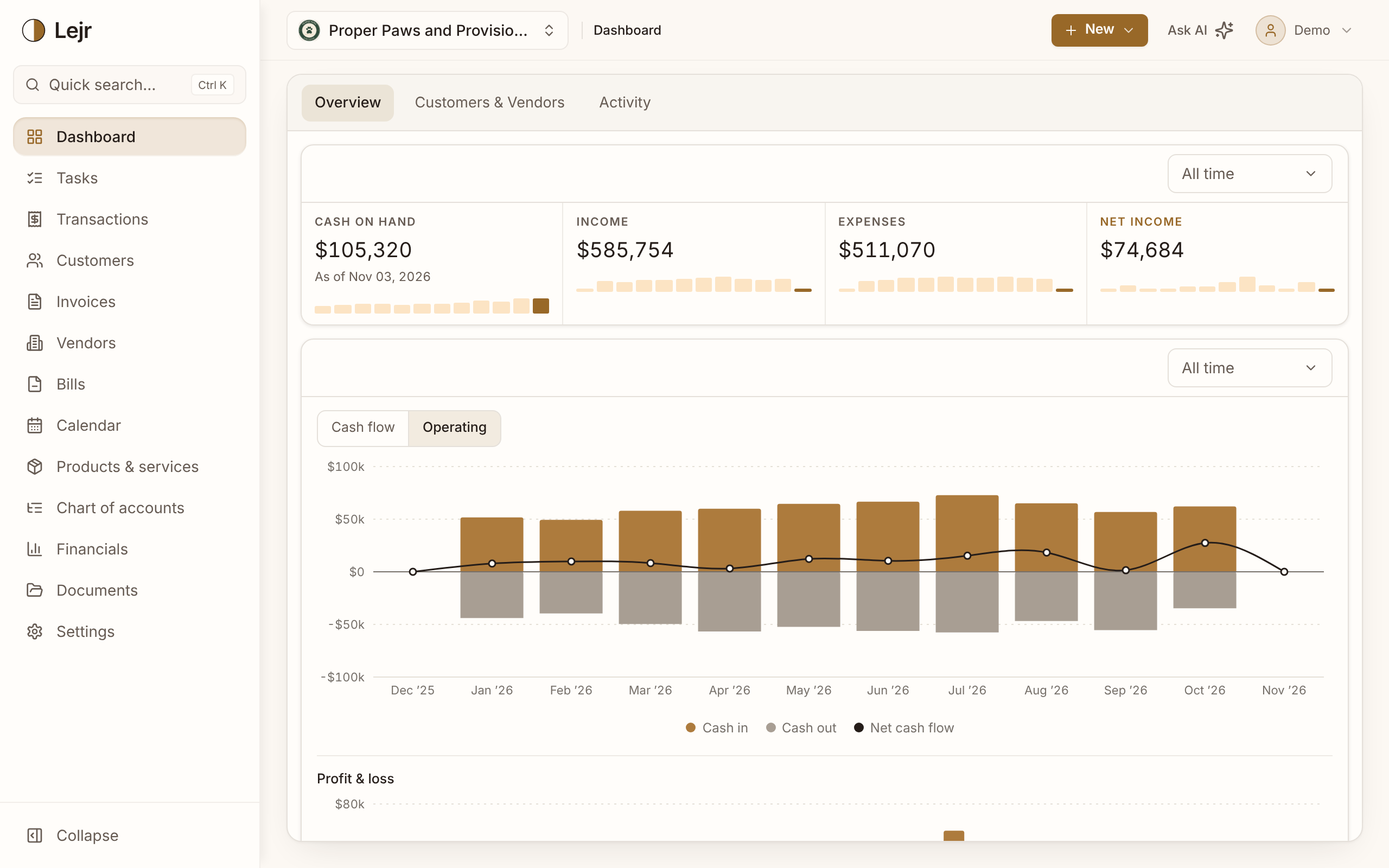
See how the business is doing: cash, income, expenses and net income, cash-flow and profit charts, who owes you and recent activity.
The dashboard shows how the business is doing and what changed recently.
Working from the dashboard
- Read the figures
Overview shows Cash on hand, Income, Expenses and Net income, then the cash-flow and profit-and-loss charts and the category breakdowns.
- Set each box's date range
Each box has its own range, defaulting to All time. Lejr remembers your choices.
- Switch tabs
Customers & Vendors shows who your business depends on and who owes whom (see below). Activity lists the latest changes to the books, newest first, with who made each one.
- Clear what needs attention
On the Overview, each row in Needs attention links to the screen that resolves it. All tasks opens the full list.
Cash flow vs. Operating
The cash-flow chart shows money in above the line and money out below it, month by month, with the net drawn across. Its toggle switches between two views.
Cash flow counts every dollar that moved through your bank and card accounts. Operating leaves out financing and investing: owner contributions and draws, loan proceeds and payments, and fixed-asset purchases. What's left is the cash the business itself brings in and spends, so a month with a new loan or a van purchase doesn't dwarf every other month. Operating is the default.
Moving money between your own accounts isn't cash in or out, so transfers appear in neither view.
Profit and loss
Below the cash flow, Profit & loss shows income and expenses for each month, with net income drawn across. Unlike cash flow, it follows your accounting method, so an invoice counts when it's earned under accrual and when it's paid under cash.
Revenue and expenses, broken down
Four donut charts show where your money comes from and where it goes. Revenue by category and Expenses by category come from the ledger: every income and expense account, however it was recorded. Revenue by product or service and Expenses by product or service come from the lines on your invoices and bills, so they show what you sell and buy. Amounts recorded without a product or service on them are listed as such.
Each chart shows the largest slices with their share and amount; the rest are grouped as Other. Pick a date range to compare periods.
Customers & Vendors
Top customers and Top vendors rank who you earned the most from and spent the most with in the date range you pick, with each one's share. The lines beneath show how concentrated the business is, such as "Top customer = 40% of revenue," a quick check on how much rides on a few relationships.
Owed to you and You owe split what's outstanding by age, from coming due to over 90 days past due, as of today. Each links to the full A/R or A/P aging report.
Overdue invoices and Overdue bills list every invoice or bill past its due date, with how long it's been overdue and the balance still open, most overdue first. Click one to open it. When nothing is late, the box says so.
Activity
Activity is a running record of what's happening across the business, in one list, newest first: transactions posted, invoices and estimates created and sent, estimates accepted, declined or converted, bills entered, customers, vendors, products and assets added, and documents uploaded or deleted. Each line says when and who did it, whether a person, the Lejr Assistant or a connected AI.
It shows what was added, sent or removed, not edits. Owners and admins see every change, with before and after values, in Settings → Activity log.
Connected accounts
On the Overview, the box beside Needs attention lists each connected bank and card account with its balance and last sync, plus any AI connected to the business. With nothing connected, it offers Connect a bank.
Good to know
- Income, Expenses and Net income follow the business's accounting method, so they match the income statement.