Chart of Accounts
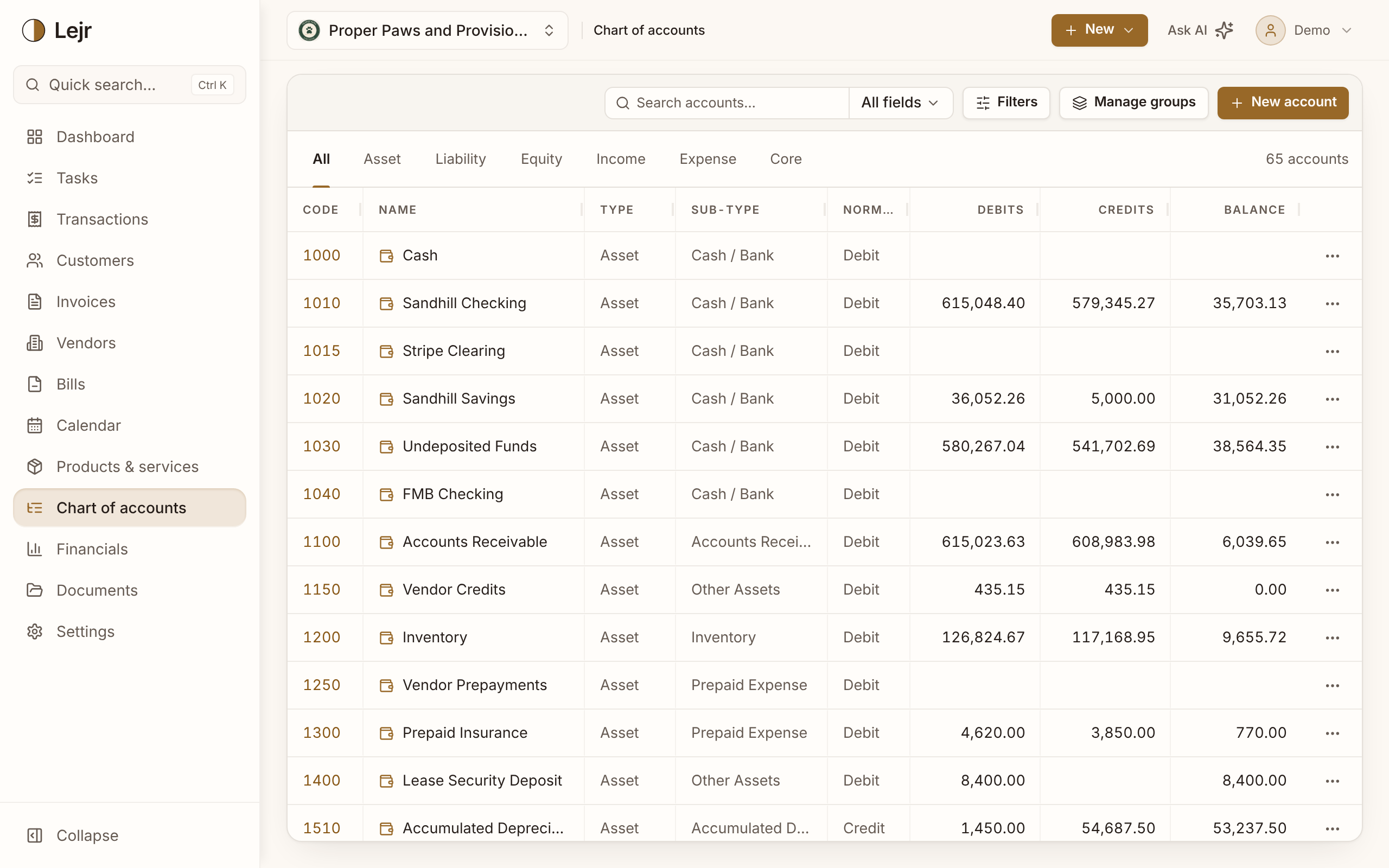
Every asset, liability, equity, income and expense account in one list. Add, rename, recode and archive accounts by editing the table directly.
The chart of accounts is the list of accounts your money moves between: assets, liabilities, equity, income and expenses. Every transaction posts to accounts on this list, so it shapes what your reports can show.
Lejr starts you with the core accounts it posts to automatically: Accounts Receivable, Accounts Payable, Depreciation Expense, Retained Earnings and the like. Add the rest as you need them, and change any of it from there.
Working with your accounts
- Find an account
Use the type tabs, or search by code, name or sub-type. Filters → Display columns shows or hides columns.
- Add an account
Click New account and give it a name and type. Leave the code blank and Lejr assigns one next to similar accounts (a second bank account lands beside the first). The normal balance follows from the type.
- Edit an account
Open the account and use its Details tab to change the code, name, sub-type, group or description. Type and normal balance are fixed once the account exists.
- Archive what you no longer use
Archiving hides an account from pickers and leaves its posted entries as they are. Turn on Show archived in Filters to see archived accounts. Core accounts can't be archived.
- Keep your old account numbers
Moving from another system? Change any account's code and name to match what you're used to, core accounts included.
Archive instead of delete
An account with postings is part of your history. Deleting it would change what earlier periods report, so Lejr only lets you delete an account that has never been posted to. Archive the rest.
Groups instead of sub-accounts
In Lejr every account can be posted to; there are no sub-accounts. To show accounts together on your statements, put them in a group. A group is a label with a subtotal, not an account of its own.
For example, under the Cash / Bank sub-type you could have a Cash group holding Cash, Venmo and Cash App, and a Checking group holding each checking account. Your balance sheet then shows each group's subtotal, with its accounts listed beneath.
Open Manage groups, click the + next to a section's name to add a group, then drag accounts into it. Drag an account to another group to move it.
Number with room to grow
Statements list accounts in code order. Numbering with gaps (6100, 6200, 6300) leaves room to add accounts later.
Good to know
- Assets and expenses are debit-normal. Liabilities, equity and income are credit-normal.
- Renaming an account changes it everywhere, including on posted entries. It's one record, not a label copied onto each entry.
Common questions
- Can I delete an account I created by mistake?
- Yes, if nothing has posted to it. Otherwise archive it.
- What's the difference between type and sub-type?
- Type (asset, liability, equity, income, expense) drives the accounting. Sub-type is a finer grouping for presentation, such as Cash / Bank or Fixed Asset.